
What is attack surface?
Attack surface is the collection of possible entry points an attacker can use to compromise devices, apps, identities, and data.
Attack Surface Reduction (ASR) rules help minimize these entry points by controlling high-risk behaviors.
Goal
Create an ASR policy in Intune, set all rules to Audit, review user impact in Microsoft Defender recommendations, then enable rules when impact is acceptable.
Create the ASR policy in Intune
In the Microsoft Intune admin center, go to:
- Endpoint security
- Attack surface reduction
- Create Policy
Set platform/profile for your environment, then configure the rules.
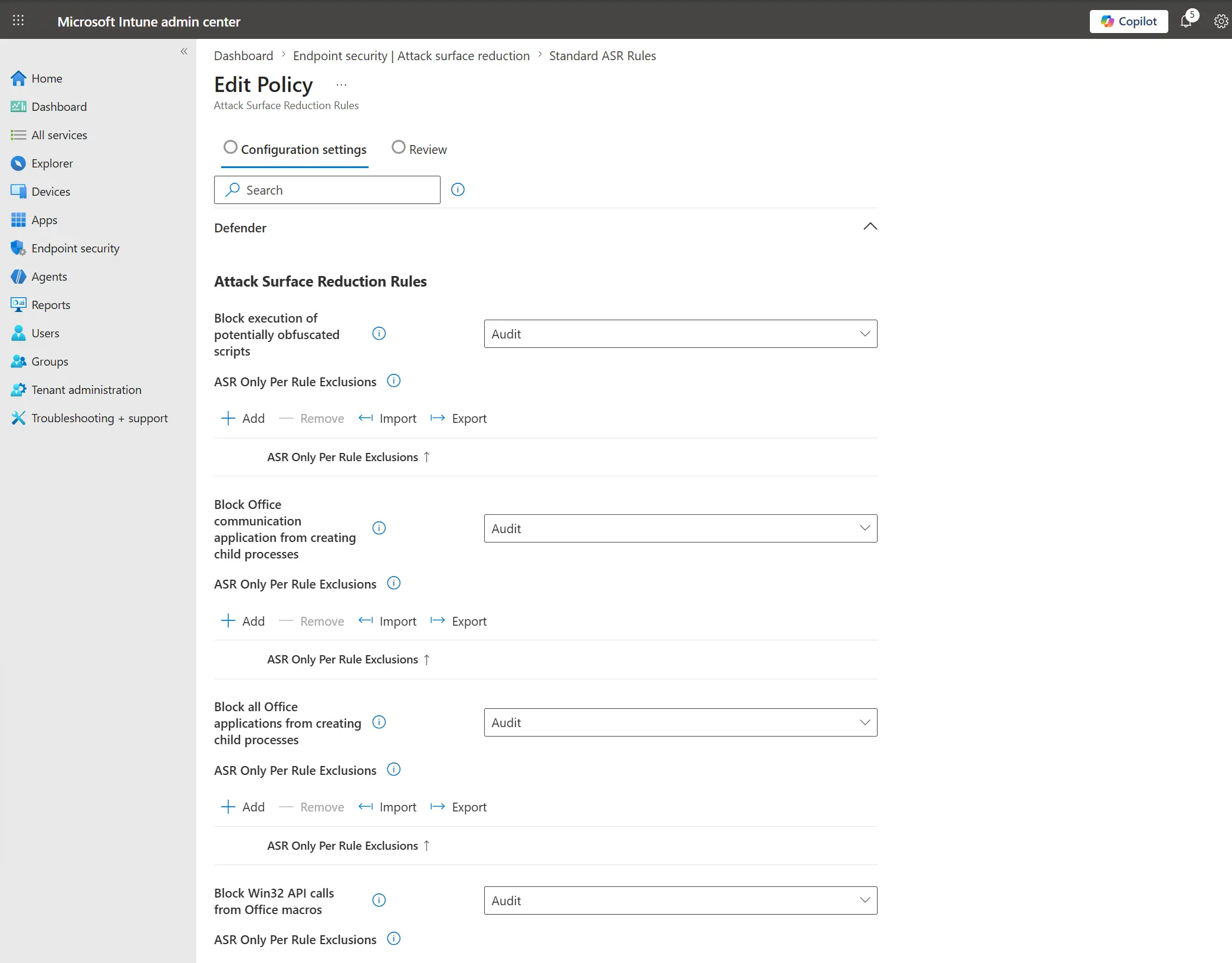
Set all ASR rules to Audit
Change all rules to Audit first.
Image - ASR rules in Audit mode
Assign a group and save
Add the target device group to the policy assignment, then click Save.
Validate impact in Microsoft Defender
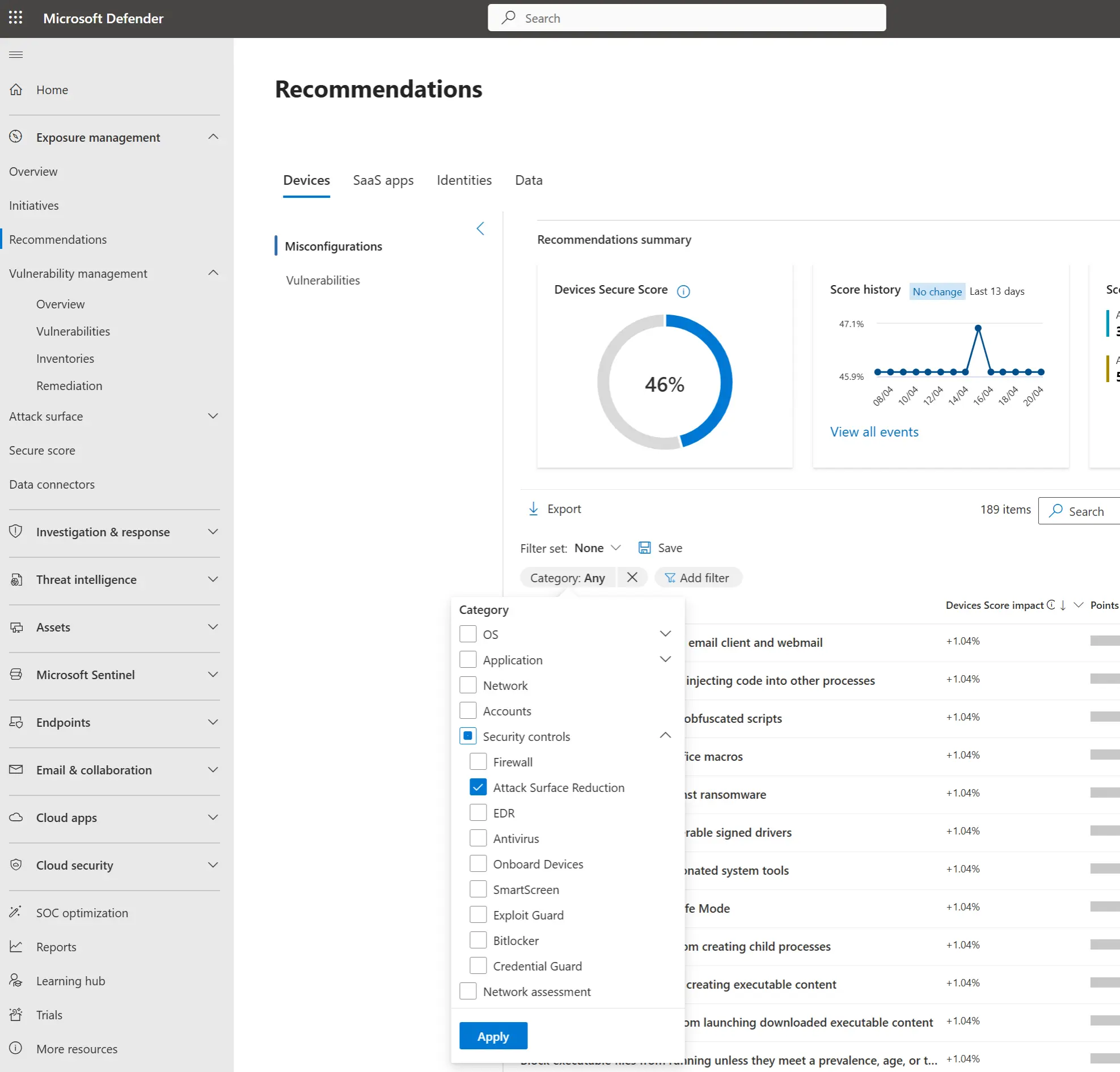
Go to security.microsoft.com and open Recommendations.
Apply filters:
- Category
- Add filter -> Security controls -> Attack Surface reduction
Image - Recommendations filter for ASR
Check user impact before enabling
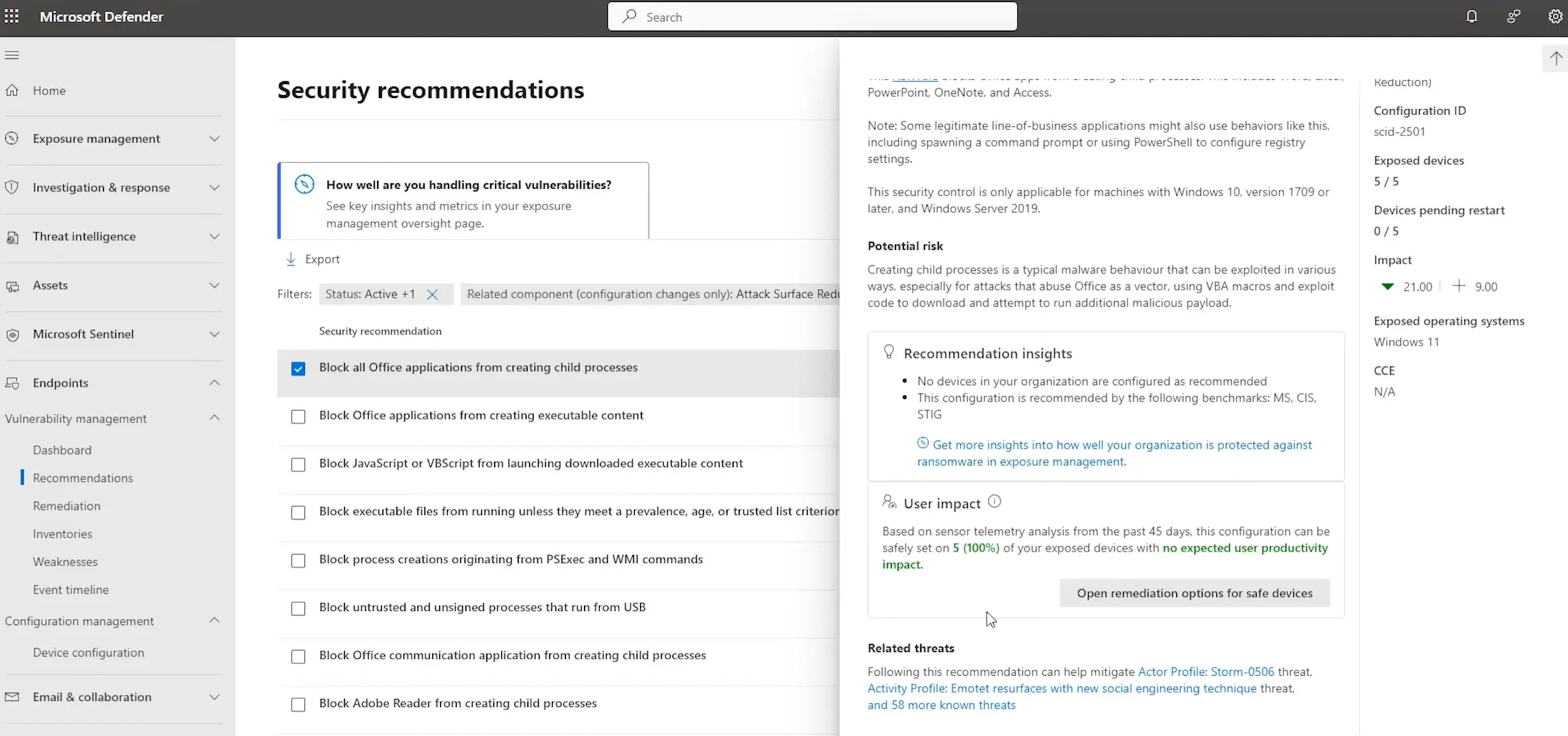
Open one of the recommendations and review User impact.
If no issues are identified, return to the ASR rule in Intune and change it from Audit to Enabled.
Image - User impact review in recommendations
Result
You deploy ASR in a safer rollout model: audit first, validate impact, then enforce to strengthen protection with lower risk of business disruption.